While Klaviyo runs your campaigns, BluStream's Product AI Advisor, Polly, educates customers via two-way SMS conversations, captures zero-party data, and syncs it back to Klaviyo as profile properties and events — turning one-time buyers into people who love what they bought.
Below is our user-guide that helps you integrate your BluStream account with Klaviyo and provides you with best practices on how to make the most out of the connection.
Follow the steps below to integrate your Klaviyo and BluStream account:
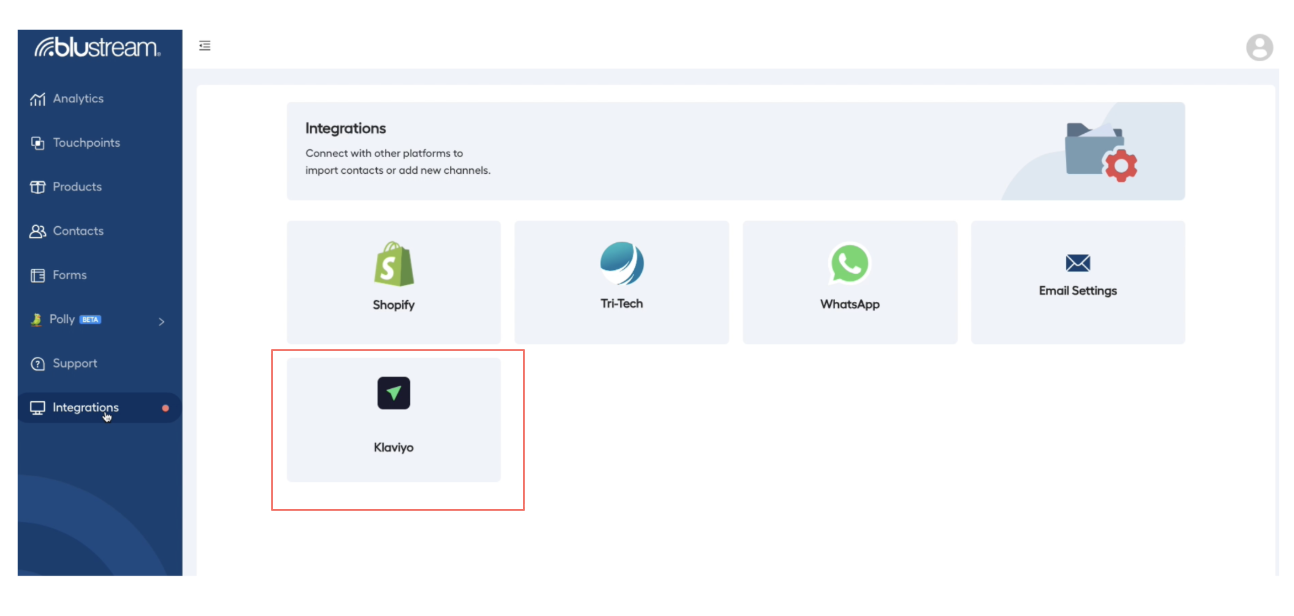
Once logged into BluStream, click on the Integrations label on the far left and click the Klaviyo tile and click Connect to Klaviyo
You'll next be redirected to Klaviyo’s authorization screen, please click Allow
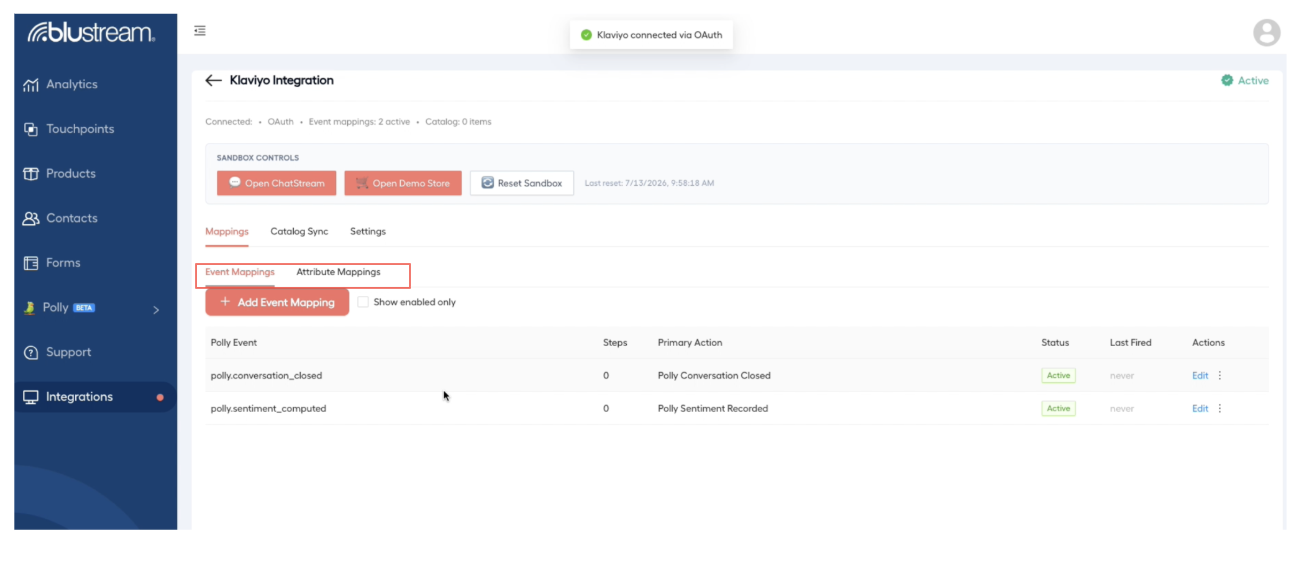
After you Allow authorization, you’ll be redirected back to the BluStream screen to show that the integration is active
Click on Mappings to verify
Event Mappings: examples of the types of events that you’ll see here include if Polly has closed a conversation or if she has recorded user sentiment
Attribute Mappings: examples of the types of attributes that you’ll see include overall sentiment, NPS score, products mentioned, etc
Best Practices
Once the integration is complete, all responses to Polly’s conversations will be synced into your Klaviyo account as event or attribute customer properties. This allows you to create stronger segments and trigger flows off profile properties.
To verify the data from customers on your BluStream journeys is being passed back to Klaviyo:
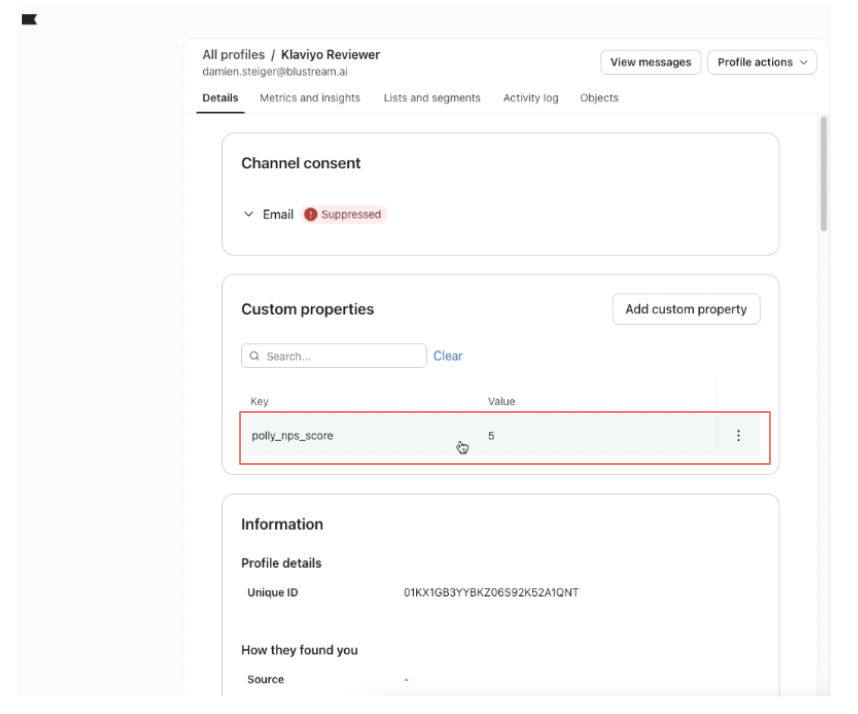
Select a current customer on a BluStream Journey in your Klaviyo account
Click on their profile and then look at the “Custom properties”
You can now use these custom properties to create new segments or trigger flows off of them
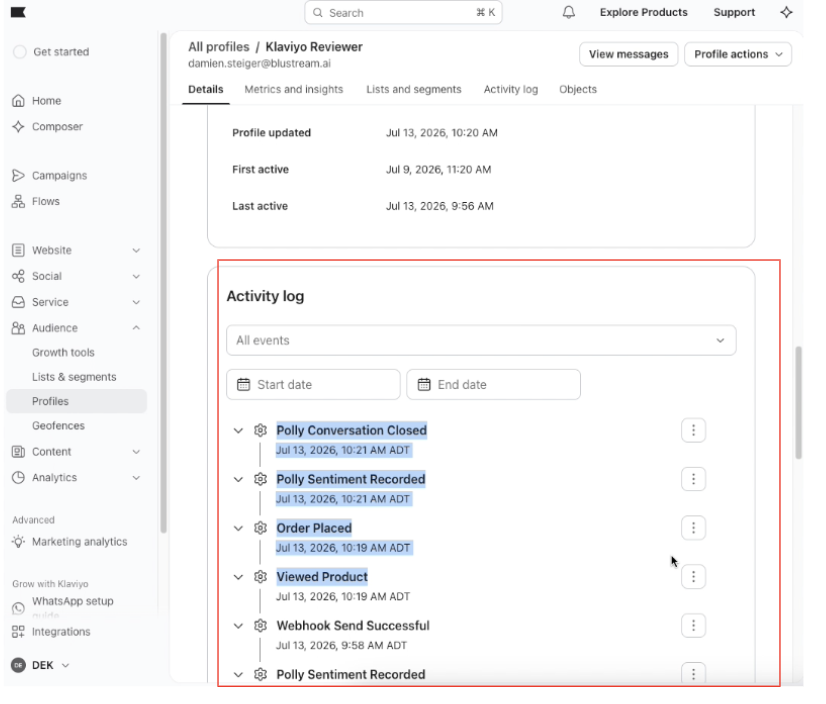
To view all of Polly’s activities, scroll down to a profile of a customer on a BluStream journey and look at their Activity Log:
As customers move through BluStream journeys and chat with Polly, their Klaviyo profiles get enriched with Custom Profile properties that drive revenue growth.
Disconnect your BluStream account from Klaviyo
If you wish to disconnect your BluStream account from Klaviyo, go the the Klaviyo Integration page, click on the Settings Tab. In the Danger Zone, click Disconnect and then type Disconnect to confirm.
If you are a new BluStream Customer Integrating from Klaviyo
If you register for BluStream via the Klaviyo App Marketplace, please follow the prompts to register for BluStream and then follow the directions outlines above.